Search Console adds multi-country filters for stores
Group countries in Google Search Console to review search traffic across your priority markets. Check individual countries and keep sales reporting separate.
Google Search Console now lets merchants combine several countries in a Performance report filter. Google Search Central confirmed the change, making it easier to review a group of markets without assembling separate country reports first.
For a Shopify store selling in several countries, the useful question is simple: how is Google Search traffic performing across the countries you are currently prioritising?
Choose a useful group
In the Performance report, open the Country filter, select the countries you want to include and apply the selection. Google’s announcement screenshot shows several country checkboxes selected together. Search Engine Roundtable reported the update on 6 October and reproduced that screenshot.
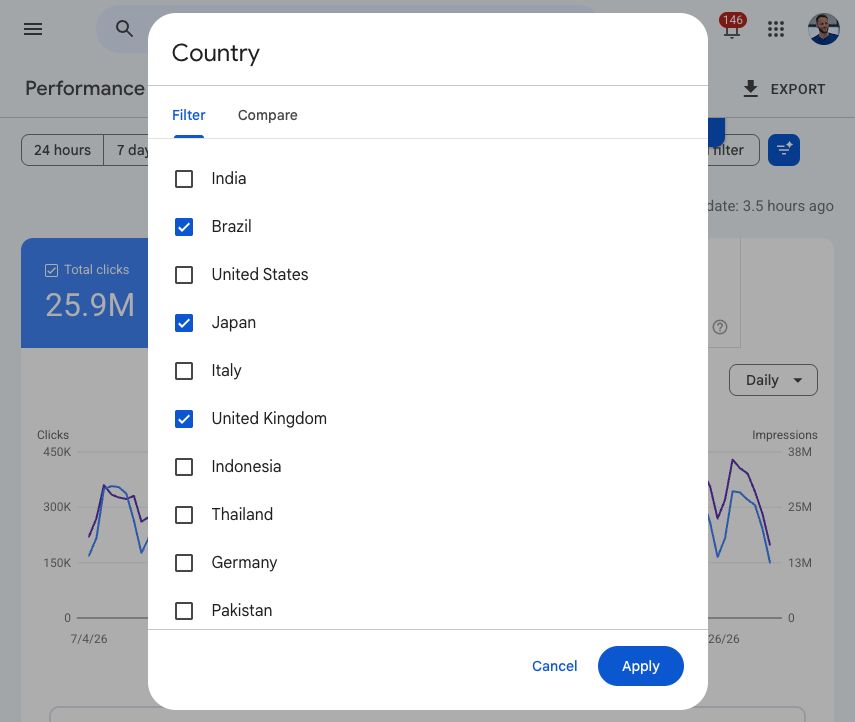
Start with a group that matches a real commercial decision, such as two countries sharing a seasonal promotion. Keep the date range and other filters consistent when comparing periods. Then inspect each country separately: a combined increase can conceal a decline in one market.
Keep traffic and sales separate
Google’s report documentation defines the available measures as clicks, impressions, click-through rate and average position. These describe search visibility and visits from search results. They do not establish how much revenue the selected countries generated.
Our recommendation is to pair the search review with your store’s order and conversion reporting, while keeping the two sources clearly labelled. Use the search view to find a question worth investigating, then check whether sales and the customer experience support the same conclusion.
Record changes to promotions, delivery promises or translated landing pages alongside the review. Our guide to Shopify Analytics notes explains one way to keep campaign context beside store reporting.
More from Marketing
See all →


